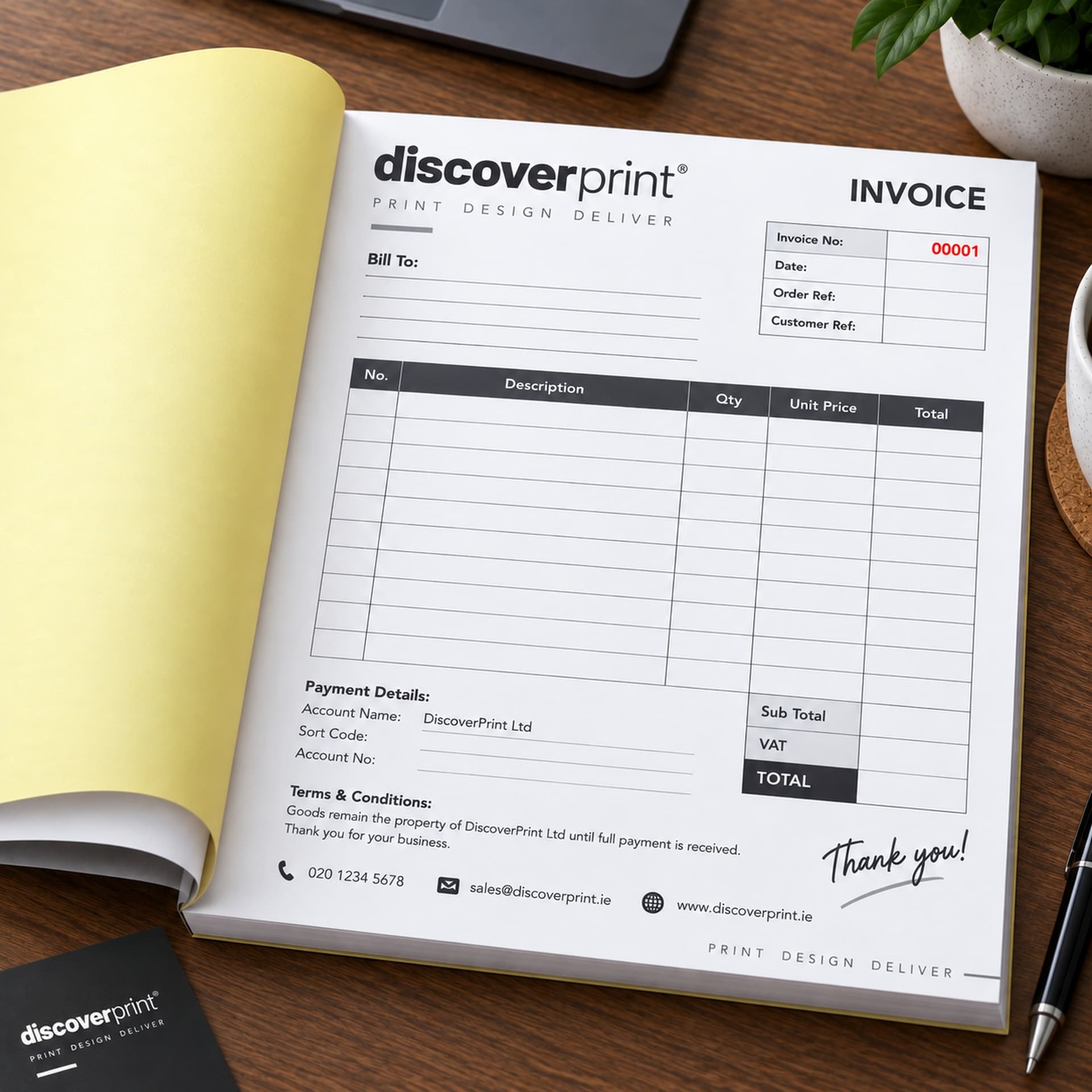
That is the short version. Below is the full walk-through, using the layout most Irish invoice books follow, plus the mistakes that most often cause problems later.
Before you start
- Use a ballpoint pen. Gel pens and felt tips do not press hard enough for a clear copy.
- Put the writing shield in place. It is the stiff card that comes with the book. Slide it under the set you are about to write on, so your pen does not mark the sets below.
- Check the number. Use the sets in order. Do not skip ahead to a clean-looking page.
Filling in the invoice, box by box
1. Date
Write the date you issue the invoice. If you supplied the goods or did the work on a different day, many books also have a "date of supply" box. Revenue requires the supply date on a VAT invoice when it differs from the issue date.
2. Customer name and address
Write the customer's full name and address, or the full business name if you are invoicing a company. "John, Naas" is not enough on a VAT invoice. If the customer is VAT registered and the reverse charge applies, you will also need their VAT number.
3. Description and quantity
Write one line for each item or task, with the quantity. Be specific enough that someone reading the copy in two years will know what it was for: "Replace kitchen mixer tap, supply and fit" is better than "Tap".
4. Unit price and line total
Write the price before VAT for each item, and the line total if your book has that column. Show any discount on its own line so it is clear.
5. Subtotal, VAT and total
Add the line totals to get the subtotal before VAT. Multiply by the VAT rate to get the VAT amount. Add the two to get the total.
| Line | Example |
|---|---|
| Subtotal before VAT | €200.00 |
| VAT at 23% | €46.00 |
| Total | €246.00 |
If you supply items at different VAT rates on the same invoice, show the VAT separately for each rate. The correct rate depends on what you supply, so check with your accountant if you are not sure.
6. Payment details and signature
If your book has a "paid" box, tick it and write how the customer paid if they paid there and then. If they are paying later, make sure your payment terms and bank details are printed on the form. We explain what to print in How long does a customer have to pay an invoice in Ireland? Some trades also ask the customer to sign to confirm the work was completed.
Which copy goes where?
| Book type | Top copy | Second copy | Third copy |
|---|---|---|---|
| Duplicate | Customer | Stays in the book | None |
| Triplicate | Customer | Office or accounts (tears out) | Stays in the book |
Tear the top copy along the perforation. In a triplicate book, the middle copy also tears out, and the last copy stays bound in the book.
What to do when you make a mistake
If the customer does not have the invoice yet: write CANCELLED across both copies, leave them in the book and use the next set. Do not tear the spoiled set out. A missing number with no explanation is exactly what an accountant or a Revenue auditor will ask about. The full procedure is in What should you do with a spoiled or cancelled invoice in your book?
If the customer already has the invoice: Revenue's rules apply. If the price goes down or the VAT was overstated, you issue a credit note. If the price goes up, you issue a supplementary invoice that cross-references the original.
Common mistakes to avoid
- No VAT breakdown. Writing only a total "including VAT" does not meet the requirements for a VAT invoice.
- Vague descriptions. "Work done" tells nobody anything later.
- Missing customer address. Required on a VAT invoice.
- Writing on the cover. The pressure marks the first set.
- Loose numbering. Using sets out of order, or two books at once with overlapping numbers.
How to make the next book easier to fill in
Most of these mistakes come from forms that ask you to write too much. When you reorder, think about what you write on every single invoice and have it printed instead: your VAT number, bank details, payment terms, standard descriptions, even tick boxes for common jobs. The rules on what must appear are in Are handwritten invoices legal in Ireland? It is also worth checking you are ordering enough books, which How many invoice books will you need in a year? helps you work out.
Invoice books laid out so there is less to write
Discoverprint's personalised invoice books are printed with your business details, VAT number, column headings and sequential invoice numbers, so each invoice only needs the customer, the work and the amounts. Tell us what you write every time and our designer will add it to the layout at no cost. Books come in A4, A5, A6 and DL, duplicate or triplicate, with an emailed proof and free delivery anywhere in Ireland. See the full NCR books range.